What Documentr Can Do
All tools for professional condition documentation
🖊️
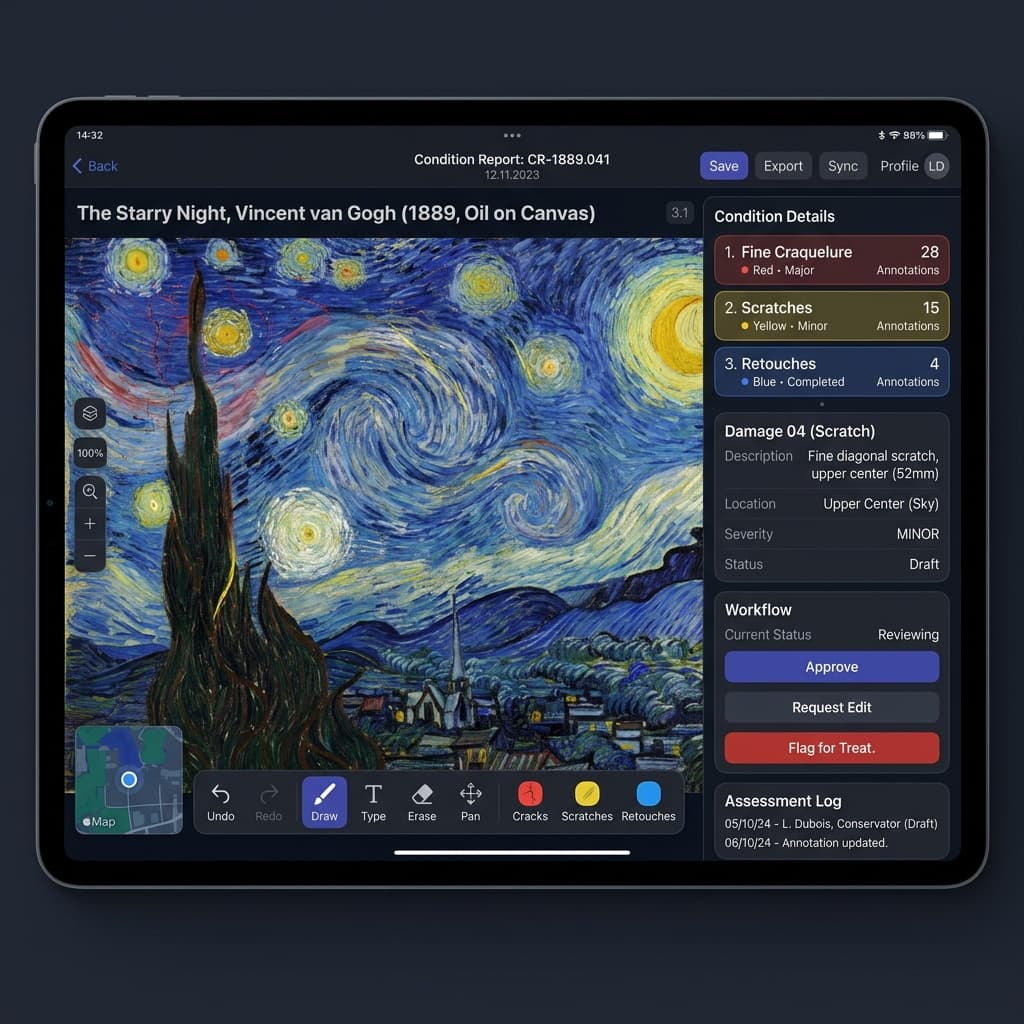
Digital Condition Reports
Draw damage directly on high-resolution artwork images — with Apple Pencil and pressure-sensitive stylus. Configurable damage types, severity levels, detail photos and complete status workflow.
- ✓Drawing on high-resolution images
- ✓Configurable damage types
- ✓Annotation layers (Cracks, Retouches, Scratches)
- ✓Status workflow to finalization
- ✓PDF Export
🔄
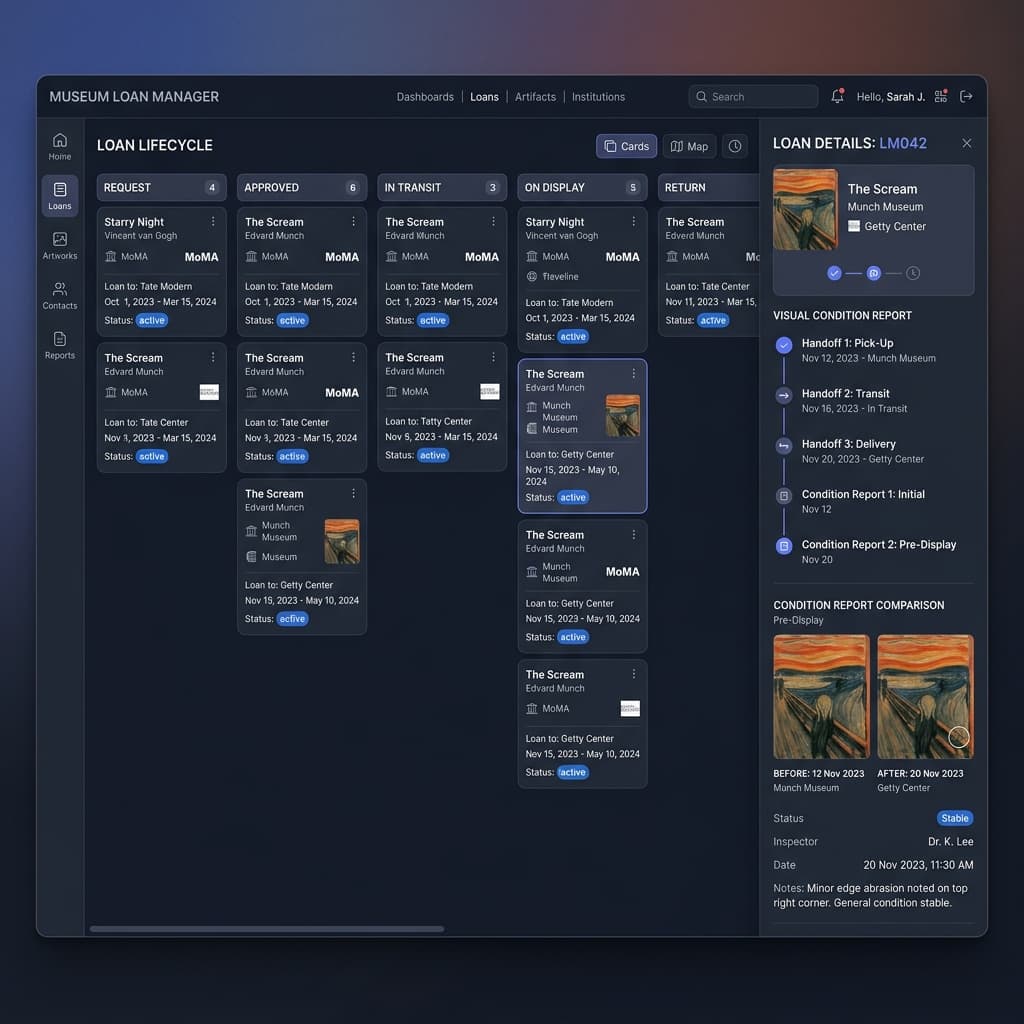
Loan Management
Complete loan lifecycle according to Spectrum 5.0 — from loan request to return. Automatic condition reports at every handoff point.
- ✓Complete loan lifecycle
- ✓Automatic reports at handoff
- ✓Comparison view between phases
- ✓Spectrum 5.0 compatible
- ✓Notifications on discrepancies
🖼️
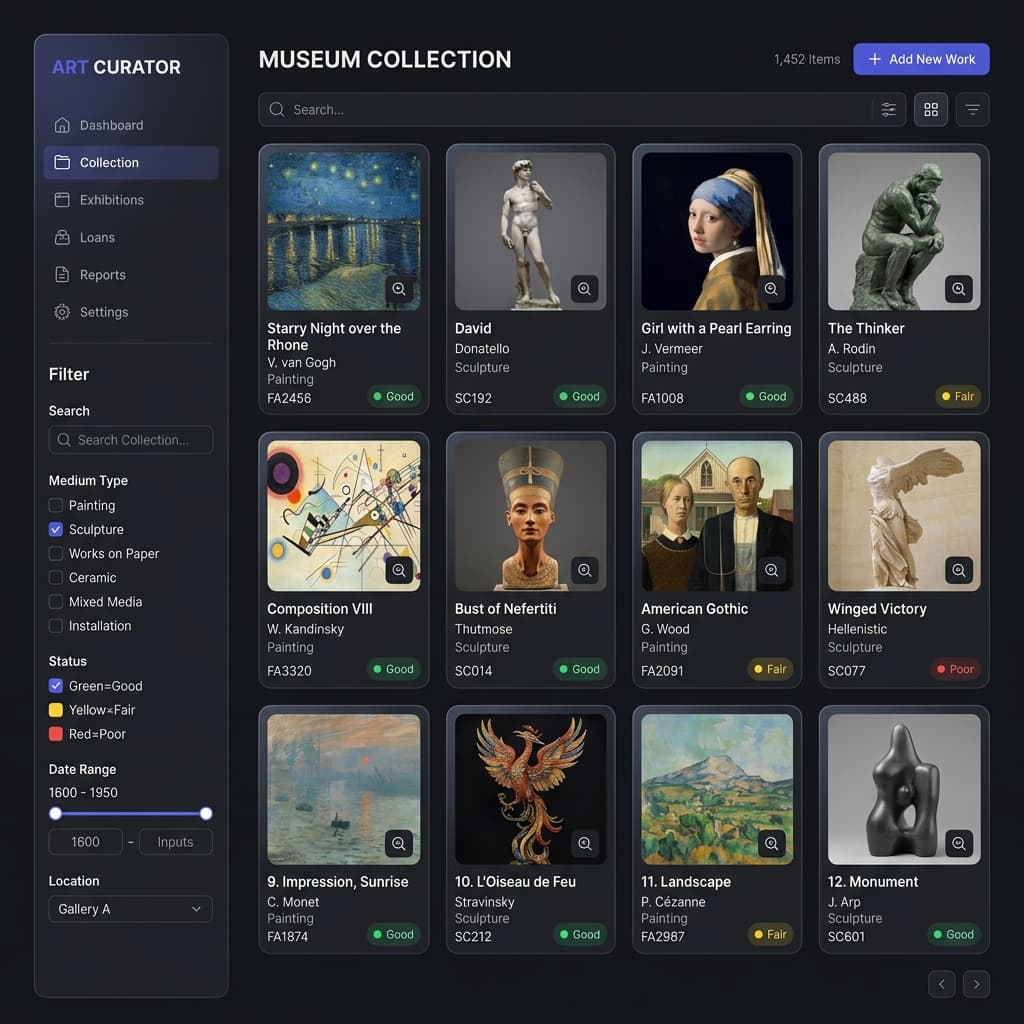
Collection Management
Artwork database with complete condition history — title, artist, inventory number, medium, dimensions and status tracking.
- ✓Complete artwork database
- ✓Status tracking per artwork
- ✓Condition history across all reports
- ✓CSV import for inventory data
- ✓High-resolution image storage
📋
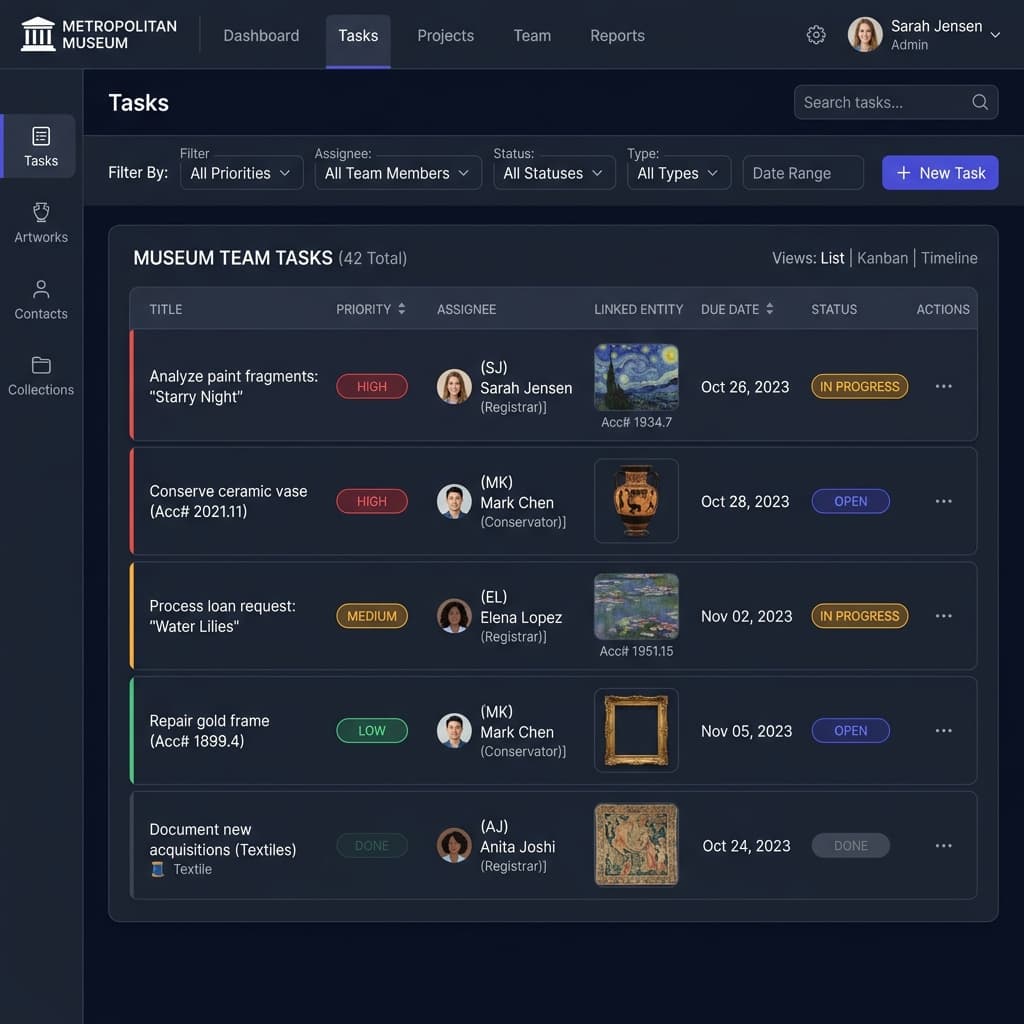
Task Management
Tasks assignable to conservators and registrars — with priorities, due dates and direct links to artworks and loans.
- ✓Task assignment to team members
- ✓Priorities & due dates
- ✓Links to artworks & loans
- ✓Filterable task board